Features that actually
work
No "AI magic" promises. Just solid scanning, smart prioritization, and guidance that helps you fix things.
The foundation: scanning you can trust
Built on proven open-source technology. Fast, accurate, and honest.
WCAG 2.2 AA Scanning
The latest accessibility standard, tested properly. We check all Level A and AA success criteria.
Powered by axe-core
The same engine Microsoft, Google, and the US government trust.
Real Browser Testing
We spin up actual Chromium browsers with Playwright. We see what your users see.
Multi-Page Scanning
Up to 1,000 pages per site. We crawl like a user would.
Scheduled Monitoring
Set it and forget it. We'll catch regressions automatically.
No Code Injection
We scan externally and report. Your codebase stays yours.
A dashboard you'll actually use
Clean, fast, and designed for humans.
Issue Assignment
NewAssign issues to team members with one click.
Learn moreGherkin Export
NewExport issues as BDD test scenarios for your QA team.
PDF Reports
Export branded compliance reports for audits and stakeholders.
Compliance Dashboard
Your compliance score, front and center.
Scan History
Every scan, timestamped and saved.
Issue Tracking
Filter by severity, drill into specific pages.
Prove your progress. Document everything.
Audit trails, public statements, and compliance badges — built for legal teams and regulators.
Compliance Badge
NewEmbed an SVG compliance badge on your site. Links to your public accessibility statement.
Accessibility Statements
NewAuto-generate EU-2024 compliant accessibility statements from your scan data. Share publicly with a unique URL.
Issue Timeline
Track every issue across scans. See when it was first detected, resolved, or reintroduced.
Learn moreManual Test Tracking
Built-in checklist for tests that need human review — keyboard nav, screen readers, cognitive load.
Overdue Alerts
SLA-based deadlines by severity. Critical issues flag at 7 days, serious at 14, moderate at 30.
Email Notifications
Get notified when scheduled scans complete, with a comparison to your previous results.
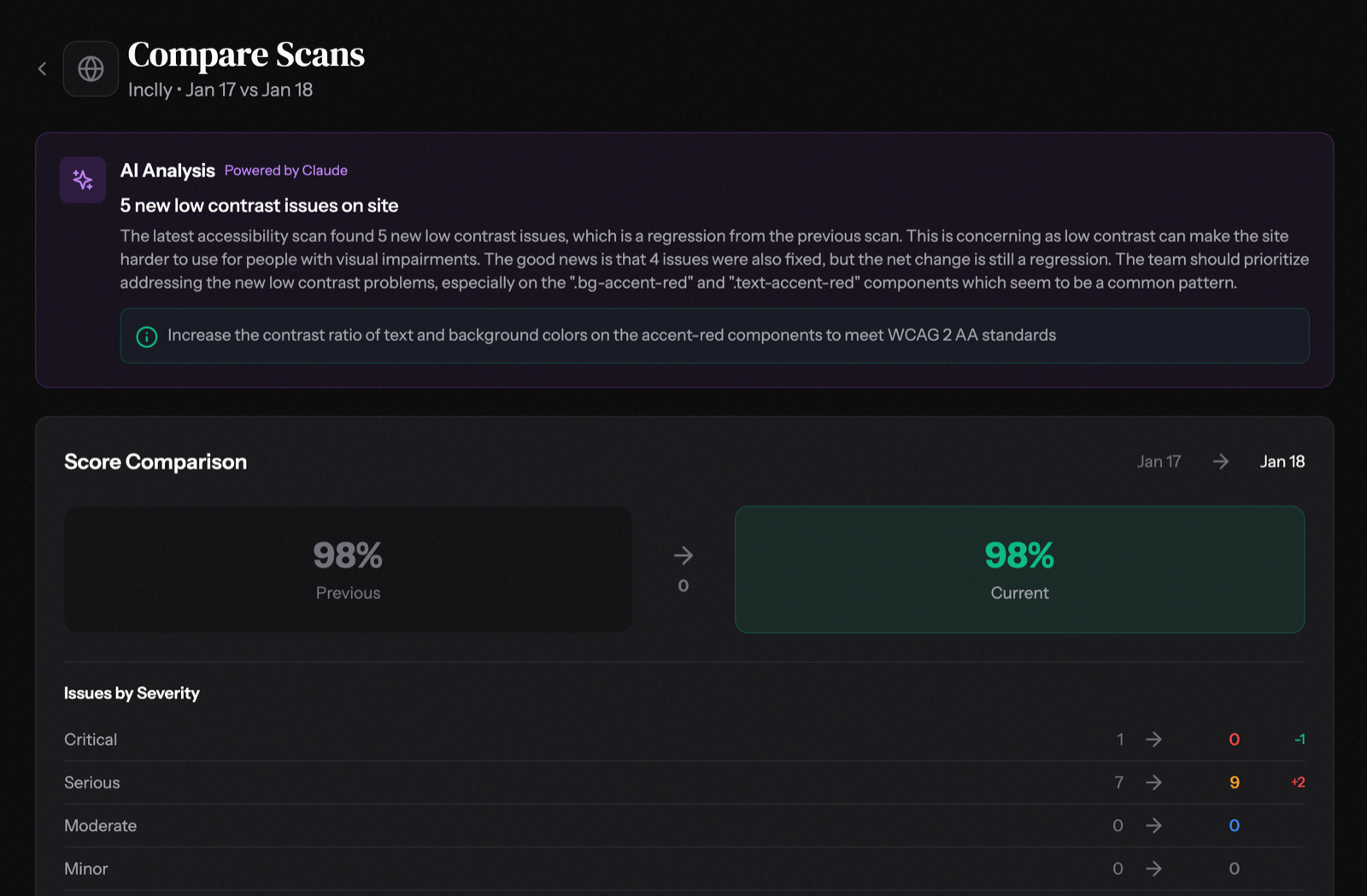
Compare scans across deployments
See exactly what changed between scans. New issues, fixed issues, and your compliance trajectory — all at a glance.
- New Issues — Catch regressions immediately after deploys
- Fixed Issues — Track your remediation progress
- Score Delta — Watch your compliance score improve
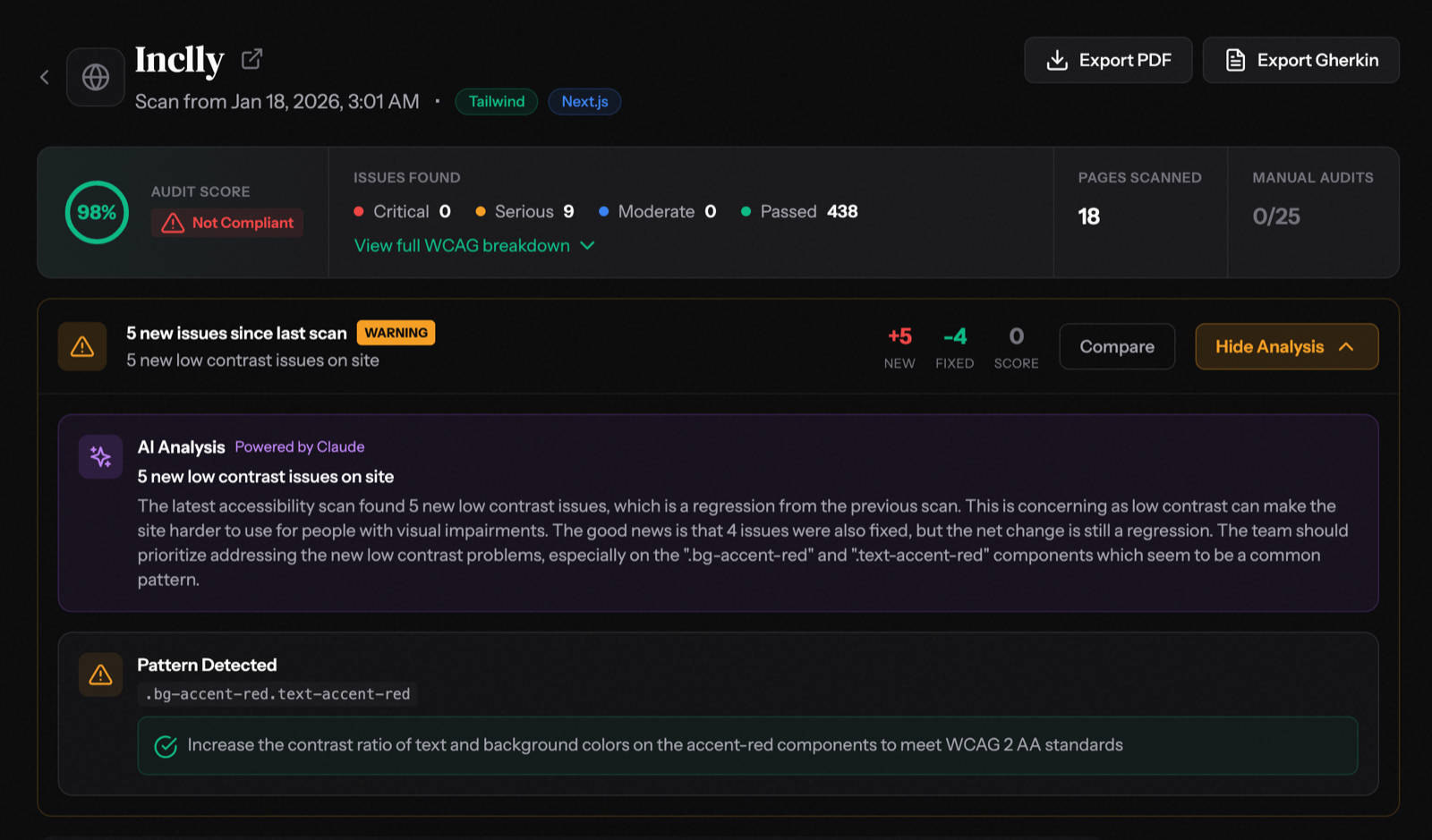
AI that explains the "why"
Not just "you have 5 new issues" — but why they matter, what patterns we detected, and exactly how to fix them.
- Pattern Detection — Identifies repeated issues across your codebase
- CSS Class Callouts — Points to specific selectors causing issues
- Actionable Fixes — Copy-paste recommendations for your stack
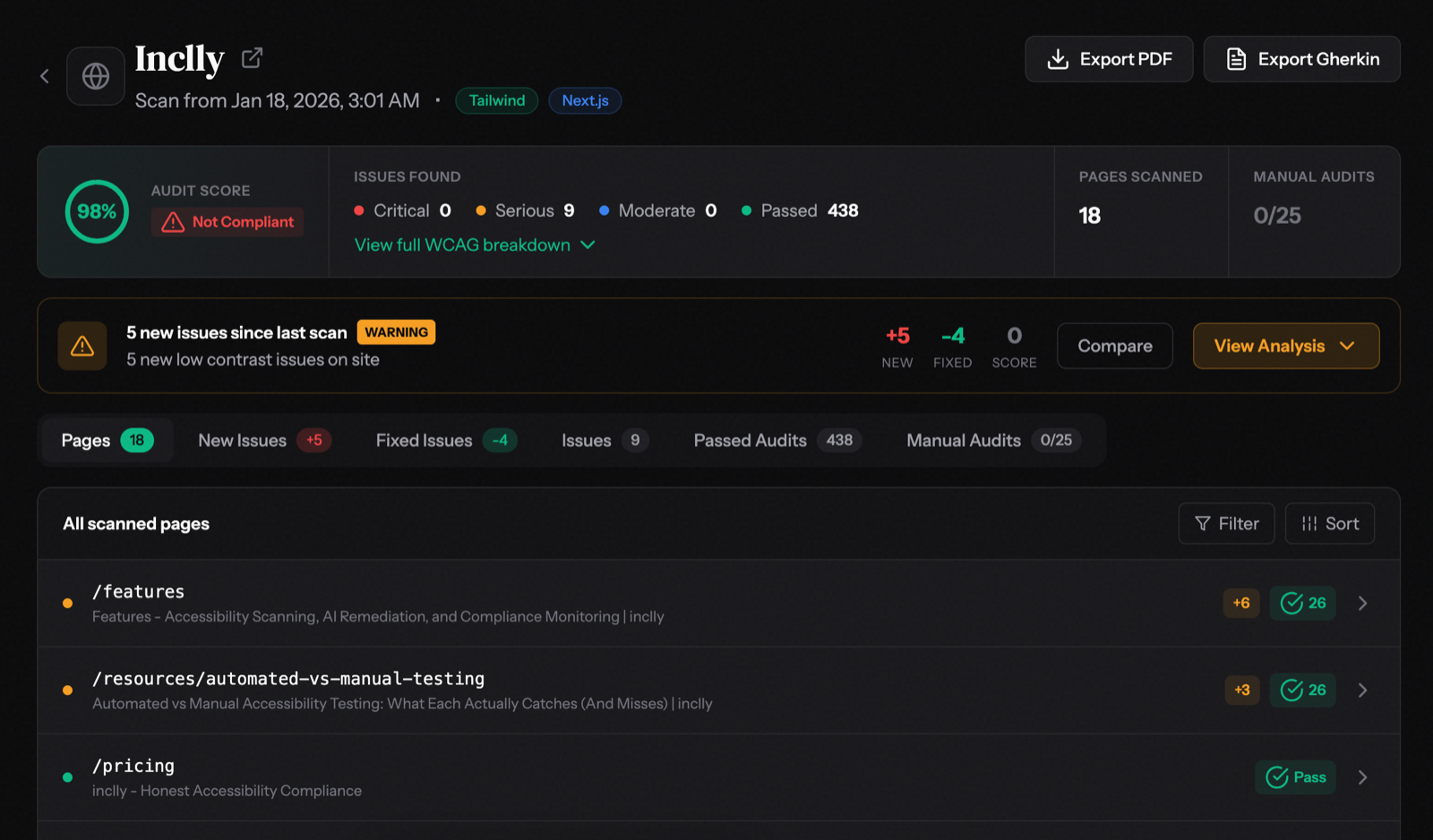
Every page, at a glance
See your entire site's accessibility status in one view. Filter, sort, and drill into any page to see exactly what needs attention.
- Pass/Fail Status — Instantly see which pages need work
- Issue Counts — Prioritize pages with the most problems
- Change Indicators — Track new vs fixed issues per page
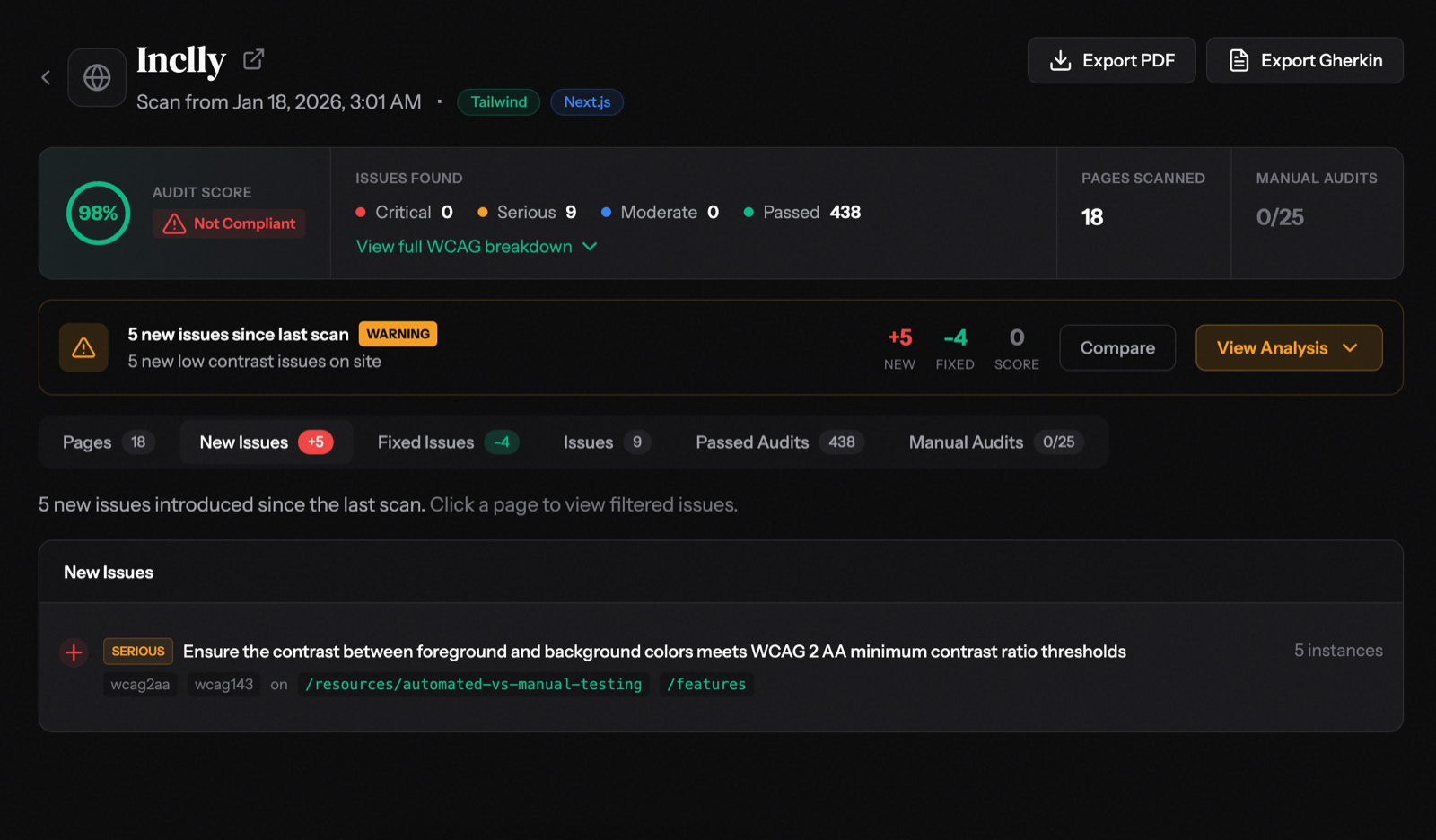
Catch regressions instantly
Filter to see only new issues introduced since your last scan. Know exactly what broke and where — before your users do.
- Severity Labels — Critical, Serious, Moderate at a glance
- WCAG References — Direct links to success criteria
- Affected Pages — See exactly where each issue appears
The part where AI actually helps
We use AI to turn raw scan data into actionable guidance.
Framework Detection
AIWe detect your tech stack automatically. React, Vue, Tailwind - we've got you.
AI Remediation Guidance
AICopy-paste code examples that work with YOUR stack.
Learn moreExecutive Summary
AIReports your non-technical stakeholders can understand.
Smart Prioritization
AI"Fix these 5 first" is actionable. We do that.
Powered by Claude AI (Anthropic)
We chose Claude for its accuracy and safety focus.
Ask questions in plain English
Stop digging through reports. Just ask what you want to know. Our AI assistant understands your scan data and gives you actionable answers with code fixes.
- "What should I fix first?" - Get prioritized recommendations
- "Show me quick wins" - Low-effort, high-impact fixes
- "What's my legal risk?" - Understand compliance exposure
- "How do I fix this?" - Copy-paste code solutions
What we can't do
Automated tools catch about 40% of accessibility issues. We're honest about that.
The 40% we nail
Missing alt text, bad color contrast, missing form labels, broken ARIA - the stuff machines can measure.
Humans do the rest
We flag what needs human review. For Enterprise, we connect you with accessibility experts.
Stuff robots can't judge
- Keyboard-only navigation flows
- Screen reader announcement quality
- Cognitive load and reading level
- Video captions accuracy
- Alternative text meaningfulness
- Form error message helpfulness
Ready to stop winging it?
Start scanning your website for accessibility issues today.